
Fix What Is Stopping Google From Ranking You.
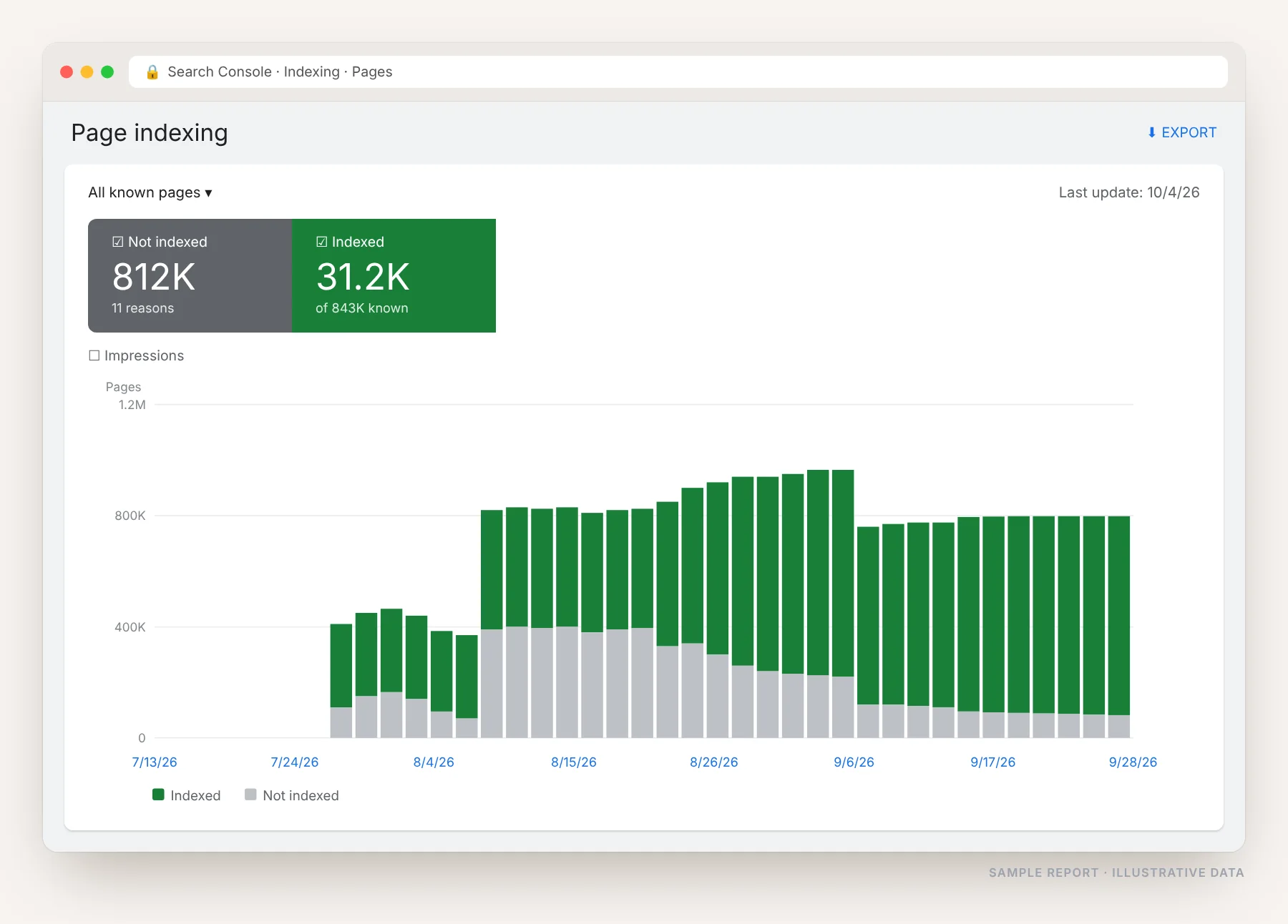
Great content cannot rank if Google cannot crawl it, index it or load it quickly. I work through Search Console, crawl your whole site, and fix the indexing, speed, duplicate content and crawl errors that keep your pages out of the results.
What Actually Goes Wrong
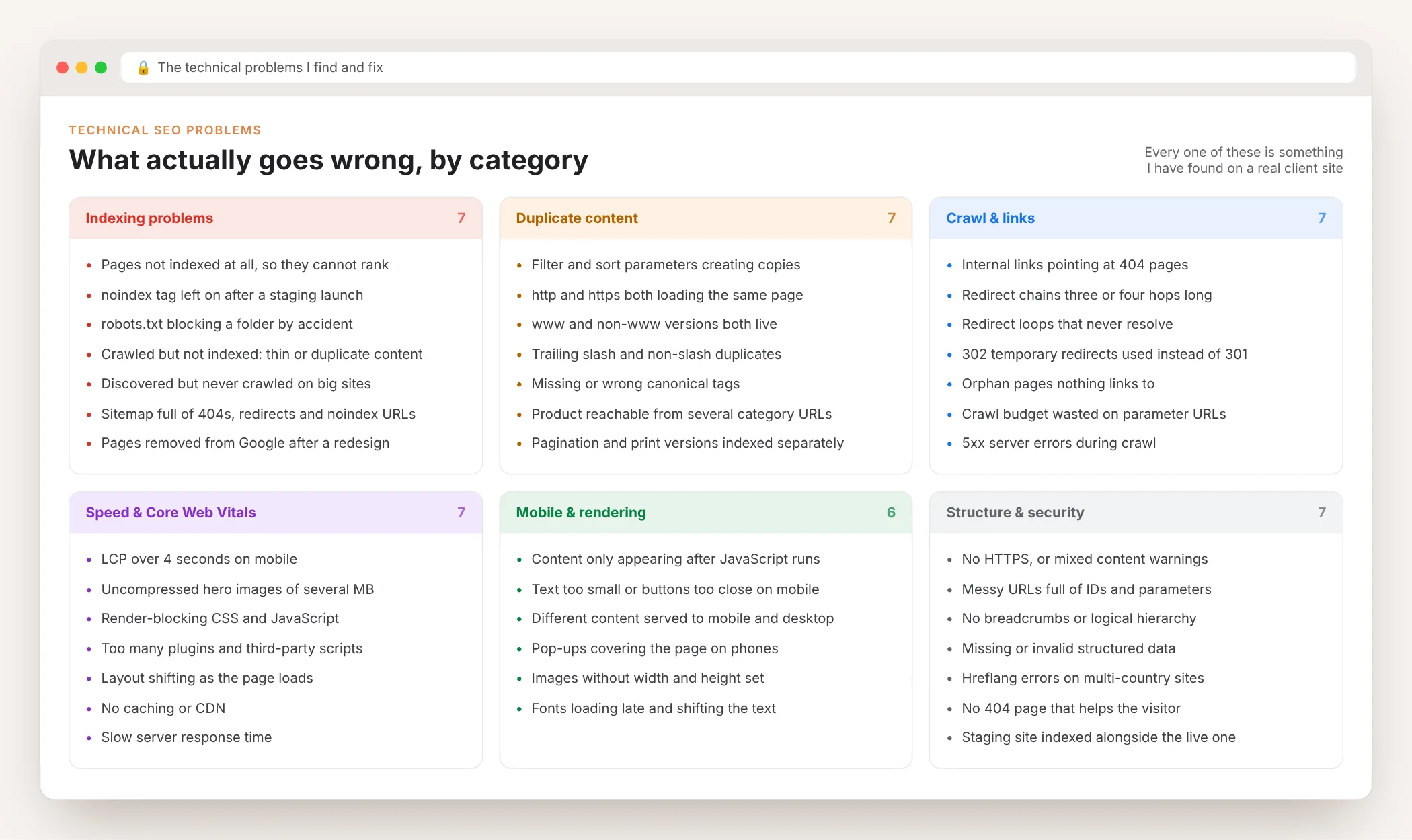
Technical SEO is not one problem, it is a list of them. These are the issues I find again and again, grouped by what they break. Most sites have problems in at least three of these six boxes.
Why Your Pages Are Not Indexed
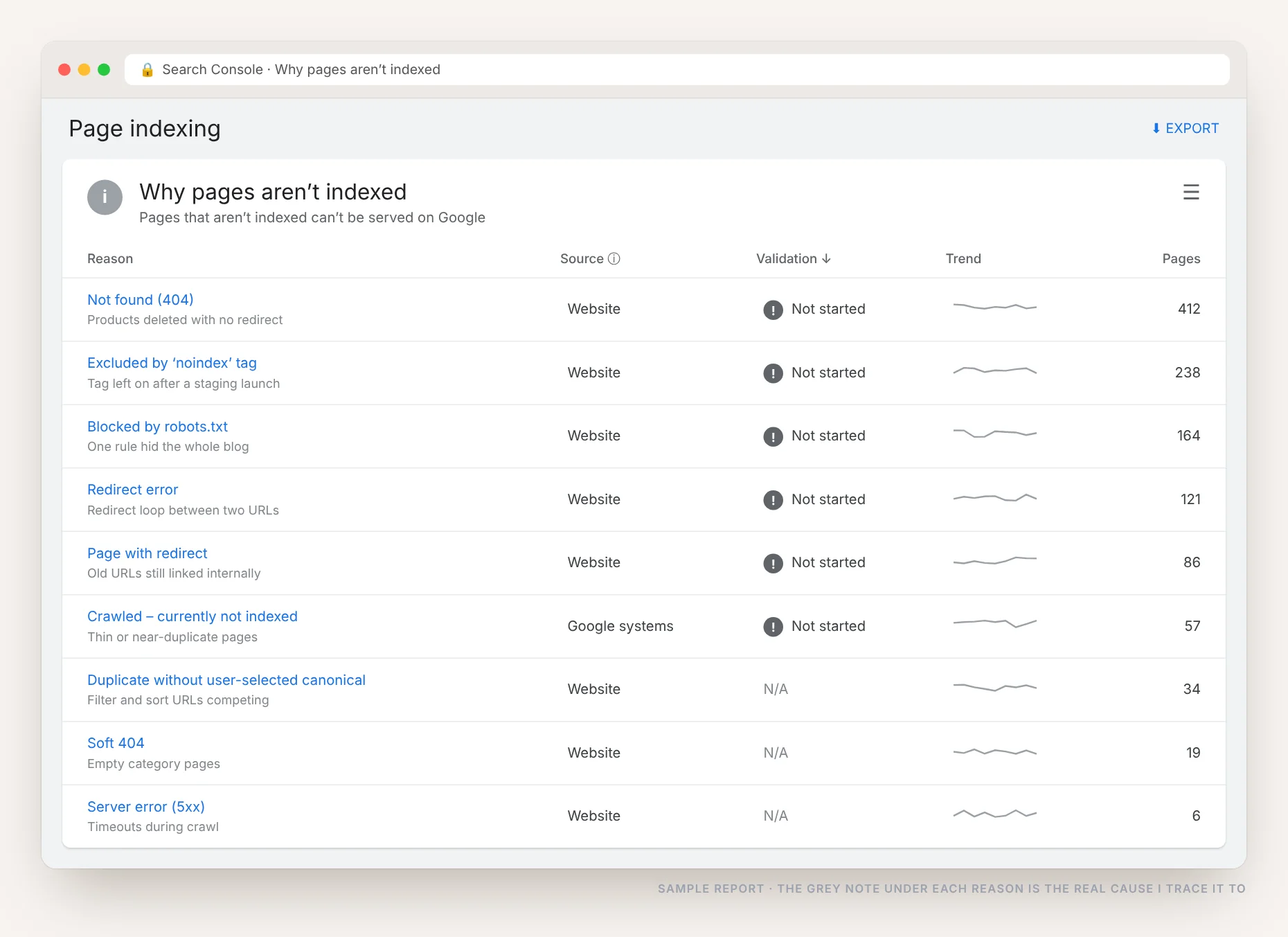
Search Console tells you how many pages are not indexed and gives a reason for each. The reason is a label, not an explanation. The real work is finding what actually caused it.
- Not found (404): pages deleted without a redirect, still linked and still in the sitemap
- Excluded by noindex: a tag left on after a staging site went live
- Blocked by robots.txt: one broad rule hiding a whole folder
- Redirect error: loops and chains Google gives up on
- Crawled, not indexed: thin or near-duplicate pages Google chose to skip
- Duplicate, no canonical: filter and sort URLs competing with the real page
- Soft 404: empty category and search result pages
- Server error (5xx): timeouts while Google was crawling
Broken Links, Redirects and Server Errors
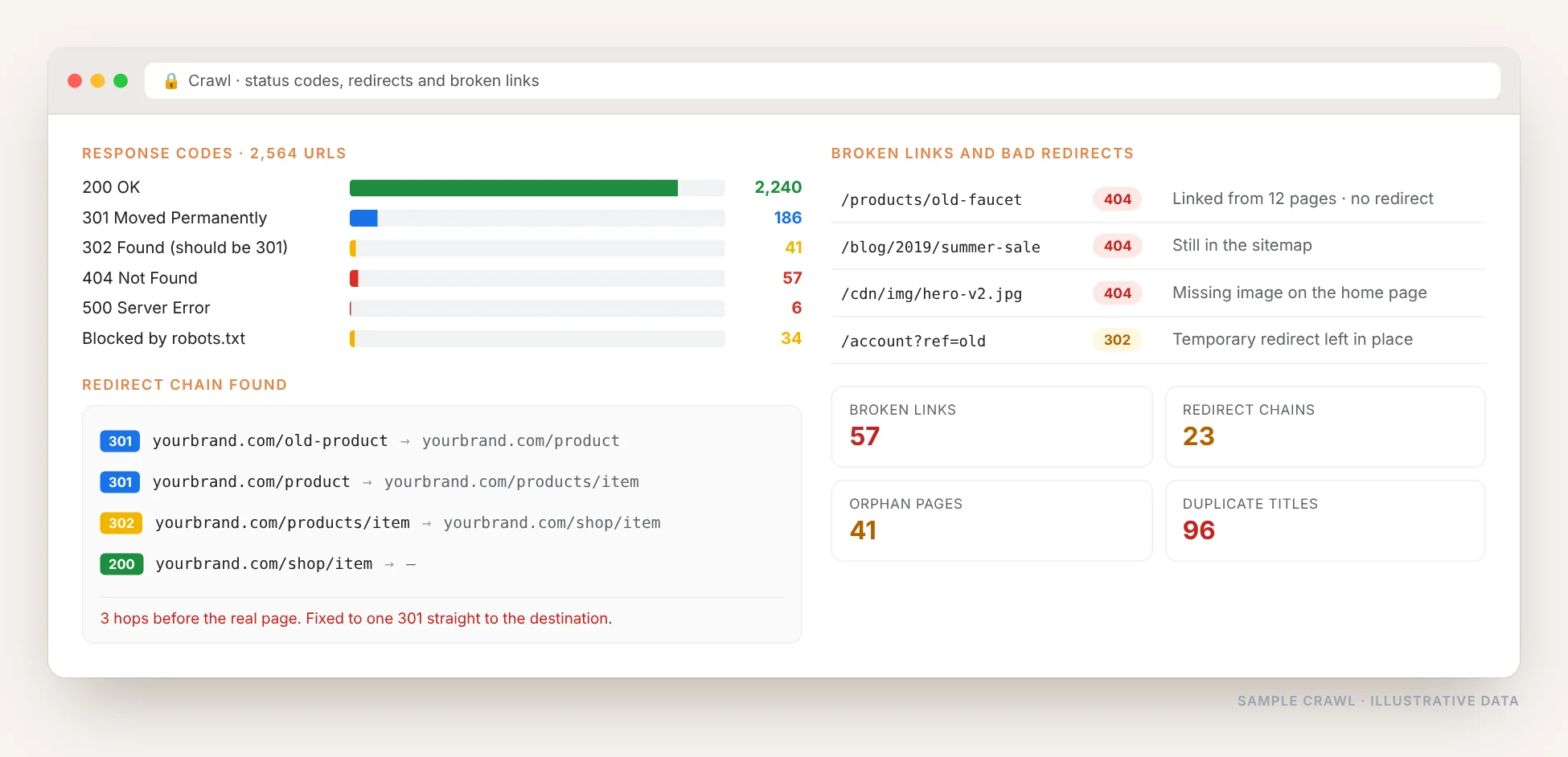
I crawl every URL and check what the server actually returns. Broken internal links, redirect chains, 302s that should be 301s, orphan pages and duplicate titles all show up here, and every one of them wastes crawl that should be going to your real pages.
Slow Pages Lose Rankings and Customers
A 21-second load on mobile is not a scoring problem, it is a business problem: most visitors are gone before anything appears. Usually the causes are the same few things, and they are all fixable.
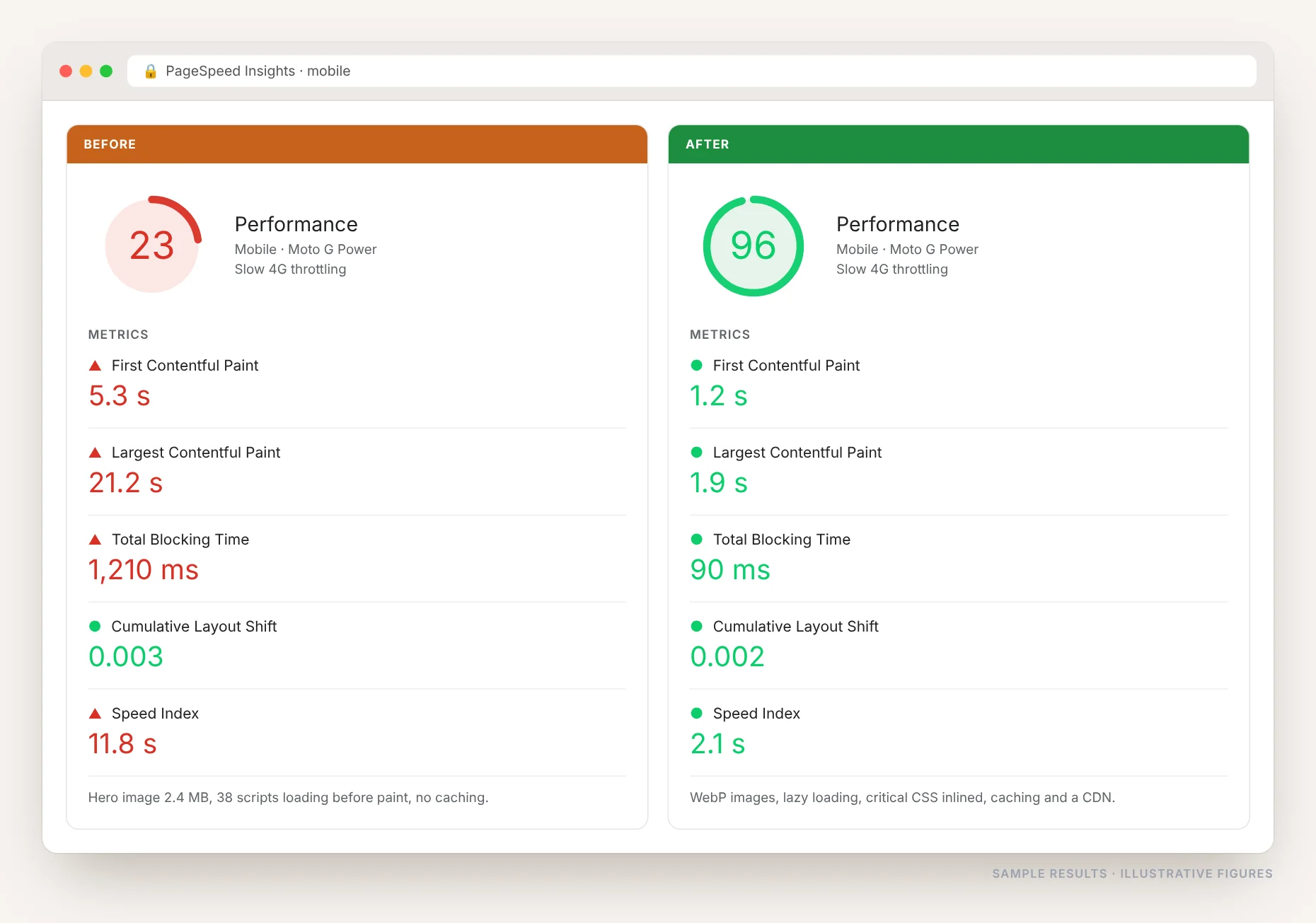
- Hero images of several MB, never compressed
- Dozens of scripts loading before the page paints
- Render-blocking CSS and JavaScript
- Plugins and page builders adding weight on every page
- No caching, no CDN, slow server response
- Fonts loading late and shifting the text
- Images with no width and height, so the layout jumps
- Third-party chat, tracking and ad scripts
robots.txt, Sitemaps and Canonicals
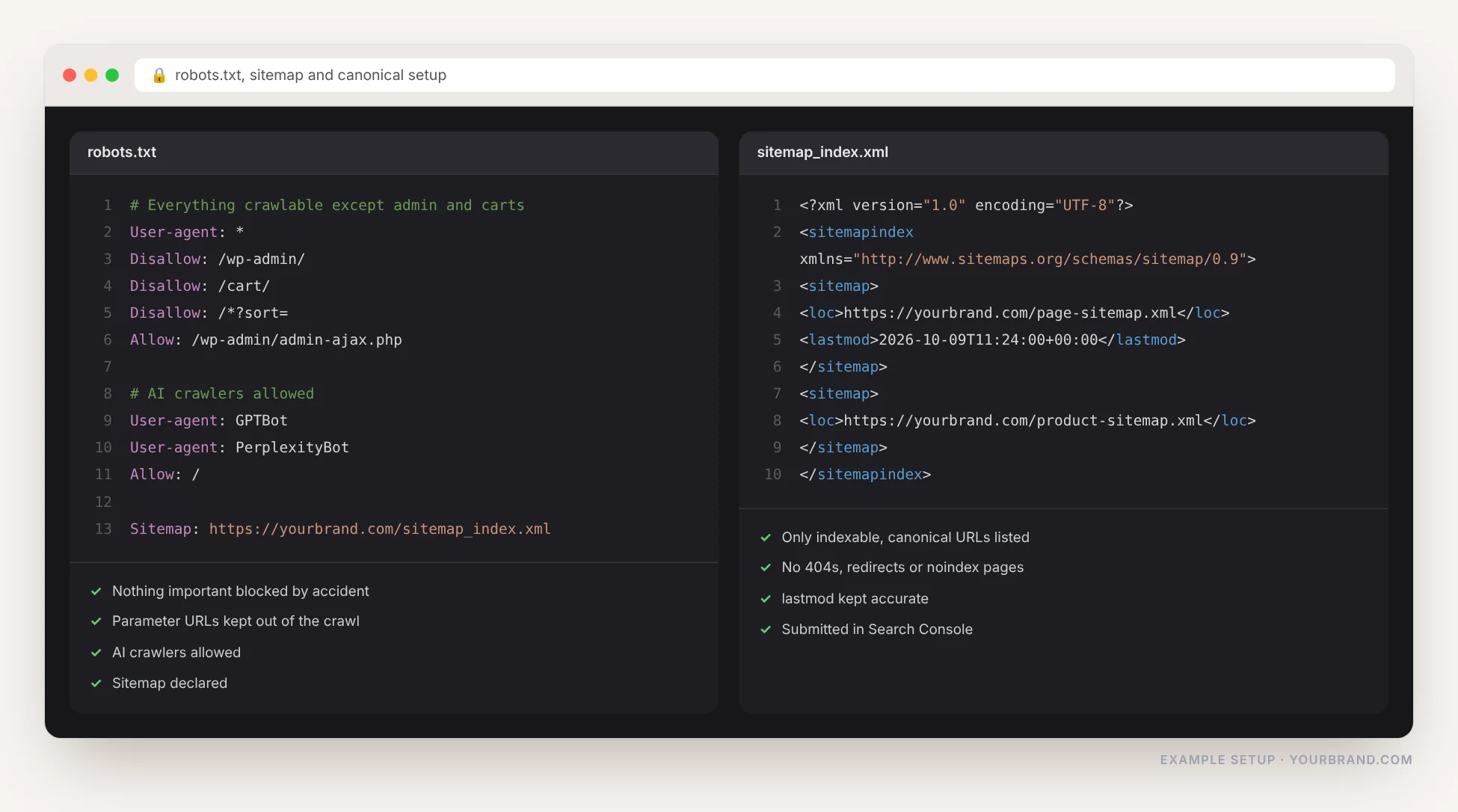
These three decide what Google is allowed to crawl, what it is told to index, and which version of a page counts. They are quick to check and they are wrong on most sites I audit.
Every Issue, Ranked and Fixed
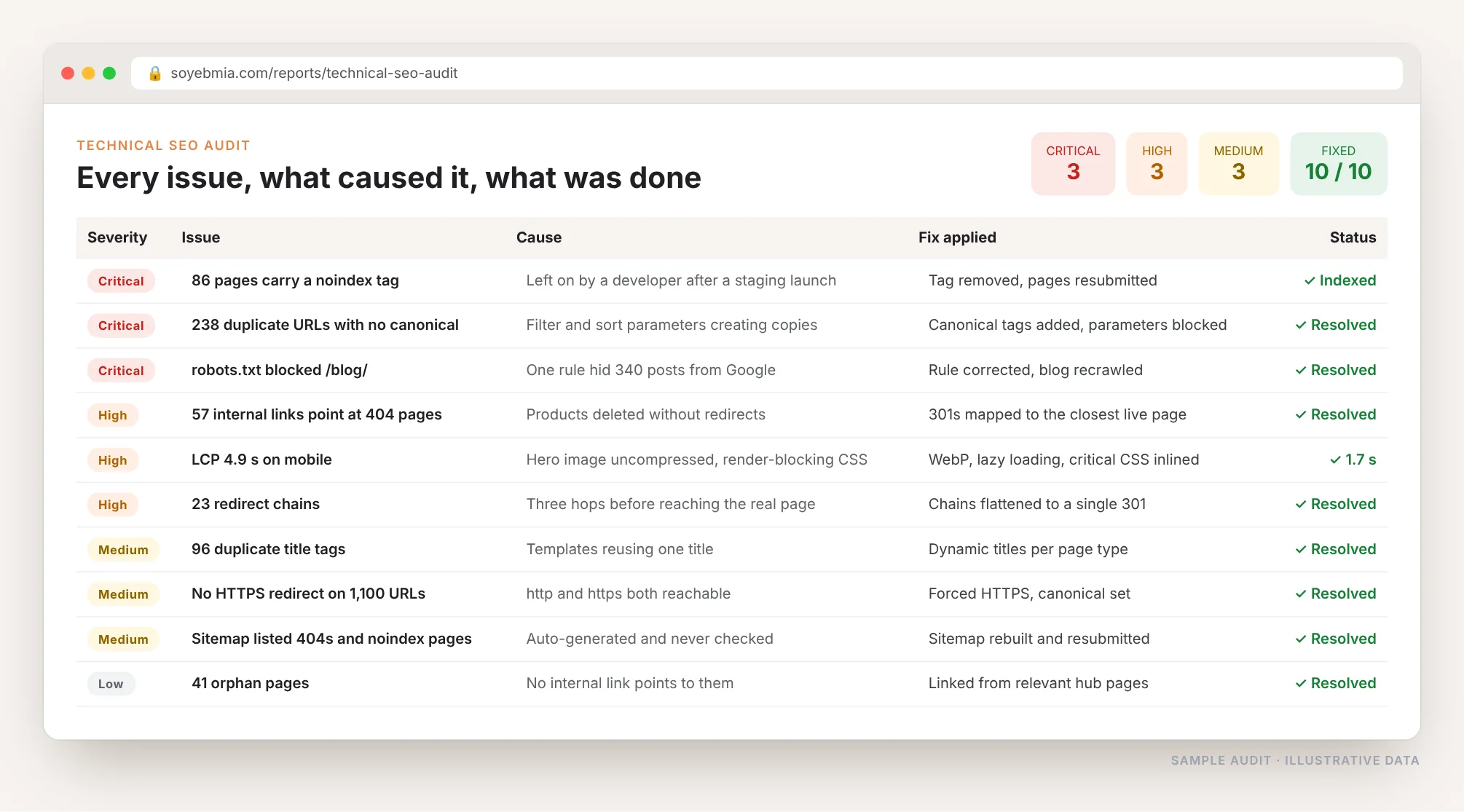
You get one list: every problem found, how serious it is, what caused it, what I did about it and whether it is confirmed fixed. Critical blockers first, the ones stopping pages from being indexed at all.
- Severity so you know what matters today
- The real cause, not just the Search Console label
- The fix applied, in plain English
- Validated in Search Console, not just marked done
Why Technical SEO Comes First
A page not indexed cannot rank at all
Until the blocker is removed, those pages earn nothing, no matter how good the content or how many links point at them.
One wrong line can hide a whole site
A stray noindex tag or an over-broad robots.txt rule removes hundreds of pages from Google, often unnoticed for months.
Duplicate URLs split your own authority
Filters, parameters, http and https and trailing slashes create copies. Google picks one version, often the wrong one.
Slow pages lose visitors before they load
Core Web Vitals are a ranking signal, but the bigger cost is the customers who leave before seeing anything.
Crawl budget gets wasted
If Google spends its crawl on 404s, redirect chains and parameter URLs, your important pages get crawled less often.
It usually pays back fastest
Content and links take months. Removing a noindex tag or unblocking a folder can bring pages back within days.
Technical SEO Services I Offer
Full Technical Audit
Every URL crawled, every Search Console error traced to its cause, with a fix list ordered by severity.
Indexing & Crawl Fixes
noindex tags, robots.txt rules, canonical tags, parameter handling and crawl budget sorted out.
Site Speed & Core Web Vitals
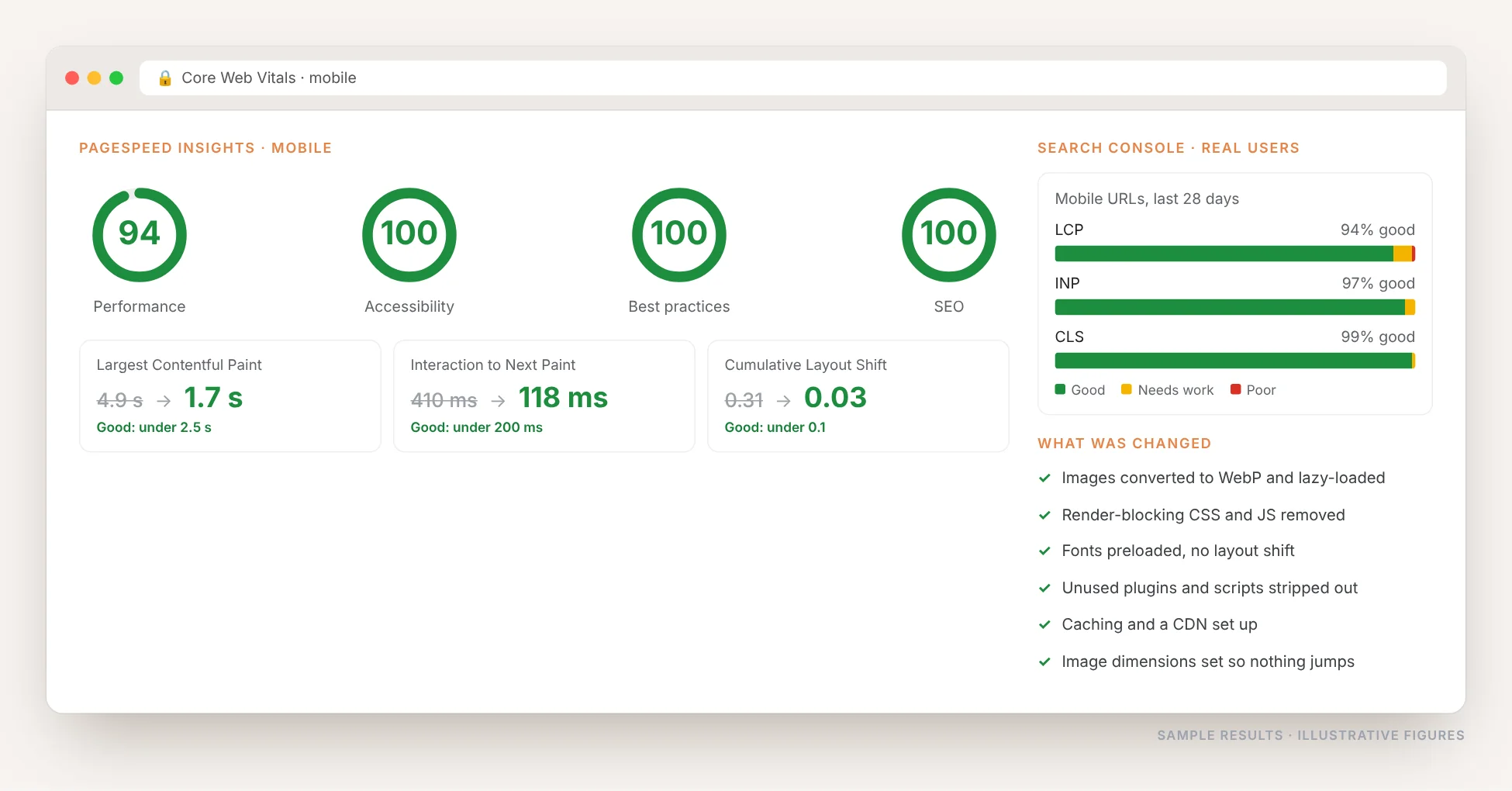
Images, scripts, caching, fonts and layout shift fixed so mobile pages pass and load fast.
Redirects & Broken Links
404s mapped to the right pages, redirect chains flattened, old URL structures retired cleanly.
Sitemaps & Structured Data
Clean sitemaps, correct schema markup, both validated and submitted in Search Console.
Migration & Redesign SEO
Redirect mapping, URL preservation, pre-launch checks and post-launch monitoring so rankings survive the move.
My Technical SEO Process
Audit
Search Console reviewed and the whole site crawled, every issue listed by severity.
Prioritize
Critical blockers first: anything stopping pages from being indexed at all.
Fix
Changes made on your site, tested, then validated in Search Console.
Monitor
Indexing, errors and Core Web Vitals watched every month so nothing creeps back.
Who This Is For
- Sites that lost traffic after a redesign, migration or platform change
- Online stores with thousands of filter and parameter URLs
- Businesses publishing good content that never gets indexed
- Slow, plugin-heavy websites failing Core Web Vitals
- Anyone with errors or warnings sitting in Search Console
- Agencies and developers who need a technical SEO partner
Technical SEO Questions, Answered
What is technical SEO?
Technical SEO is the work that lets search engines crawl, render and index your site properly: indexing and crawl settings, robots.txt, sitemaps, canonical tags, redirects, site speed, mobile usability, HTTPS and structured data. It is the foundation that on-page and off-page SEO sit on.
Why does Search Console say my pages are not indexed?
Common reasons are a 404, a noindex tag, a robots.txt block, a redirect error, duplicate URLs with no canonical, or content Google judged too thin to keep. Each needs a different fix, so the first job is finding which one applies to which pages.
How long until my pages get indexed after a fix?
Once the blocker is removed and the fix is validated in Search Console, important pages often come back within days. Large sites can take a few weeks for everything to be recrawled.
Are Core Web Vitals really a ranking factor?
Yes, though a small one compared with content and links. The bigger reason to fix speed is that slow mobile pages lose visitors before they see anything, which costs you enquiries and sales regardless of rankings.
Do I need technical SEO if my site is new?
Yes, and it is cheapest then. Getting the URL structure, sitemap, canonicals and speed right at launch avoids a migration-sized cleanup later.
Can you work on my platform?
Yes. WordPress, WooCommerce, Shopify, Wix, Squarespace, Webflow and custom builds. Each platform creates its own technical problems, and I know the usual ones for each.
Find Out What Is Holding Your Site Back
Send me your website and I will check your indexing, crawl errors and Core Web Vitals, then show you exactly what is blocking your pages.